Start with
the right job.
Console assignments arrive in Pilot with the site, schedule and mission package your team prepared, so the field workflow starts from the plan.
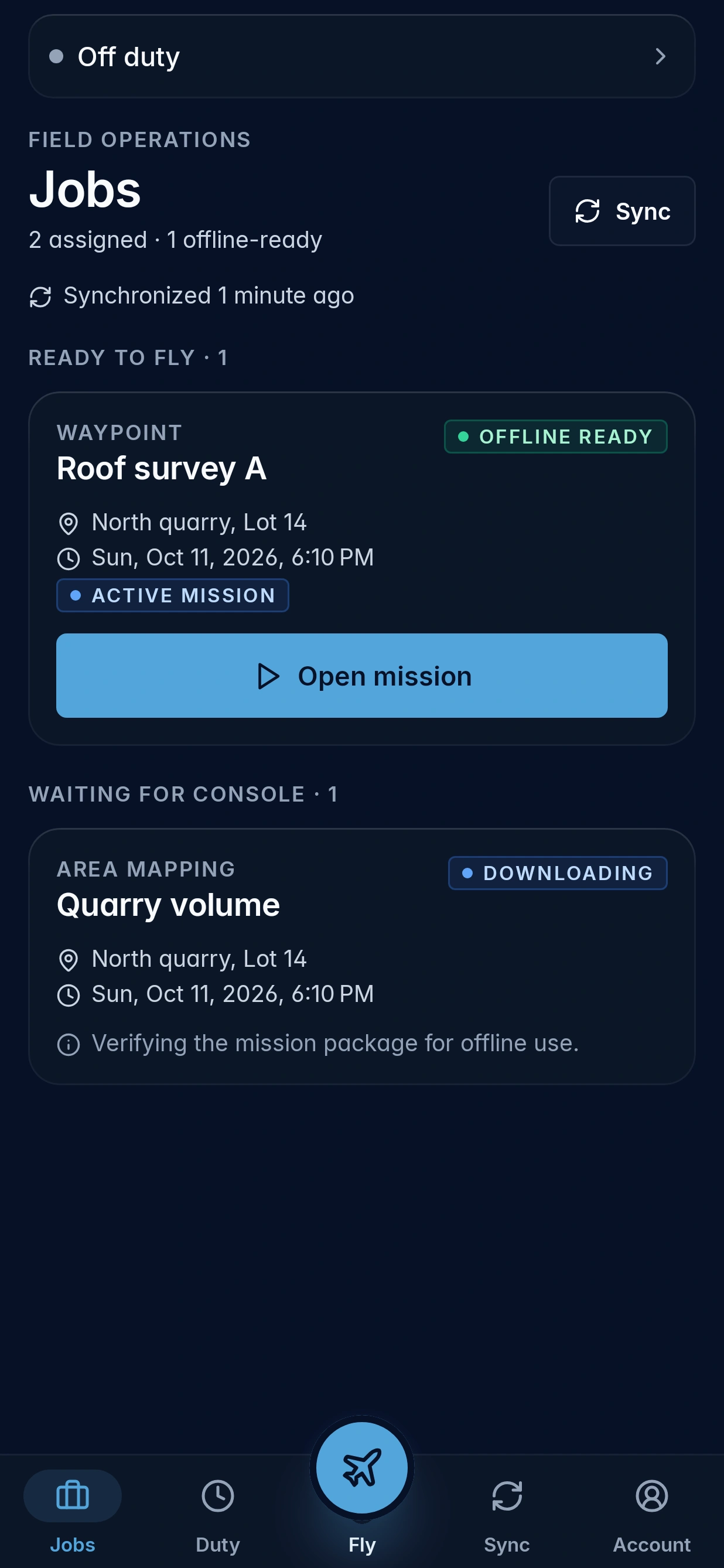
The field companion to Aerosyne Console. Open the job your team planned,
fly it, and sync the record back.
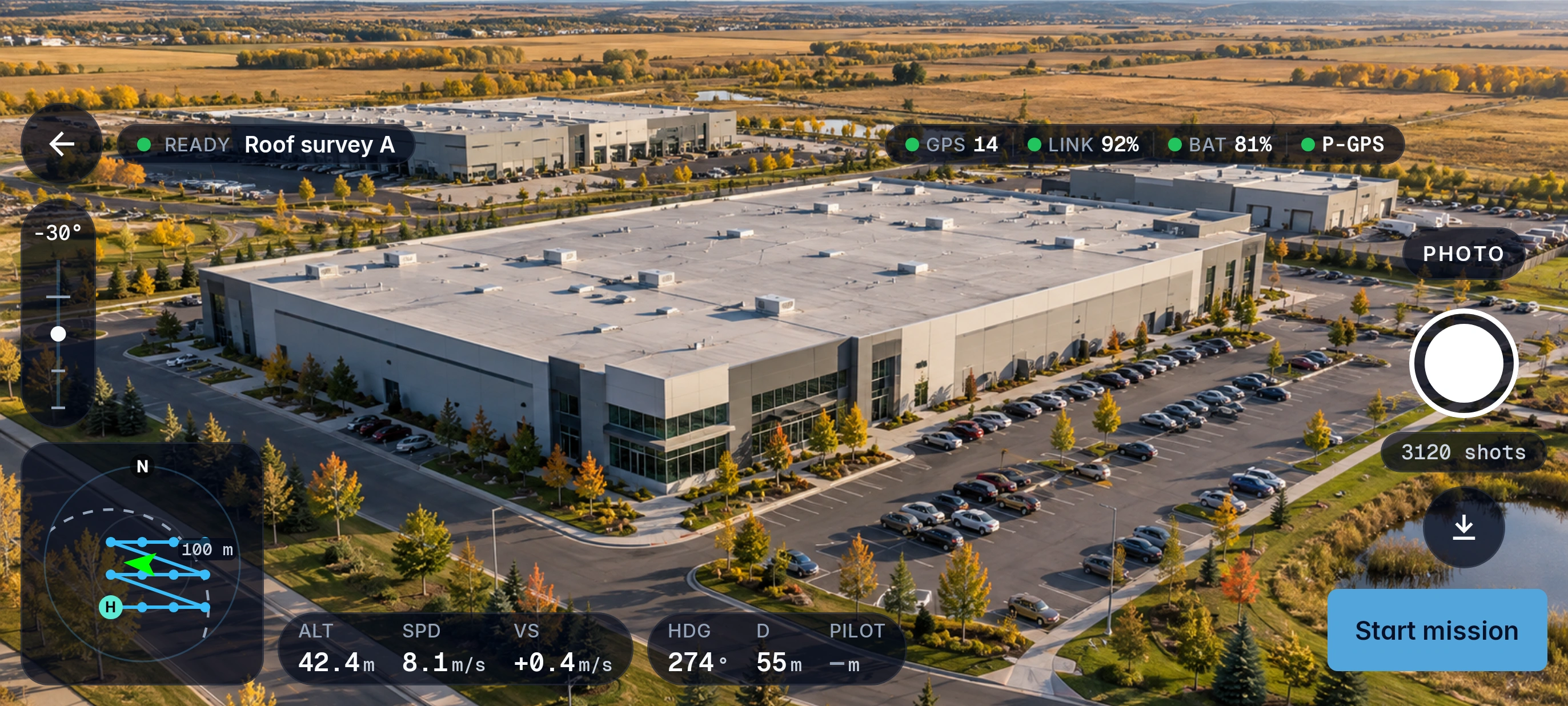
Your team plans the job in Console. Pilot brings Console assignments to the operator, ready to open in the field.
Pilot keeps the mission context in view. The operator remains responsible for flight execution and every operational decision.
Keep logged flights connected to the job, with a clear view of which records Console has received.
Console assignments arrive in Pilot with the site, schedule and mission package your team prepared, so the field workflow starts from the plan.
Logged flights sync back to the job. The sync view shows which records are queued and which Console has acknowledged.
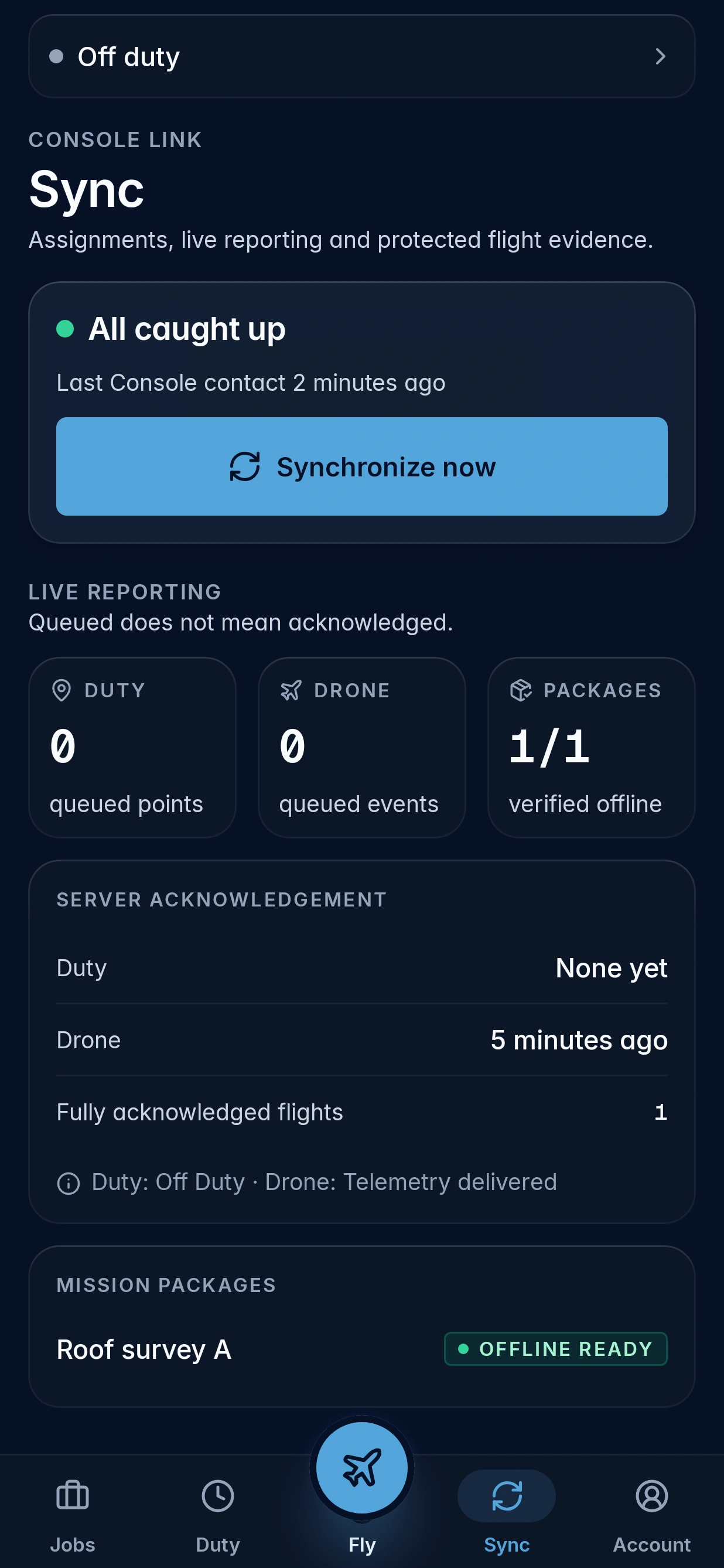
Console is where your team plans and assigns work. Pilot brings those assignments into the field and connects flight records back to the operation through sync.
The operator stays in control. Pilot supports the workflow; the operator remains responsible for flight execution and operational decisions.
The sync view shows acknowledgement state, so you can tell queued records apart from records Console has acknowledged.
No. Pilot is in beta, and these are public preview screenshots. Designs and features may change at any time.
Pilot is in beta. Request access for your team, or see where the work starts in the Console demo.